Saturday Night Neon
A bit of Brissy night light.



Bytes that get stuck in your teeth.
Pieces I’ve written.
A bit of Brissy night light.
One feature Apple Music has that Spotify doesn’t is Smart Playlists. They are handy for honing in on favourite tracks for specific artists or genres.
I knocked up this smart playlist that I shuffle to unearth underappreciated tracks in my library.
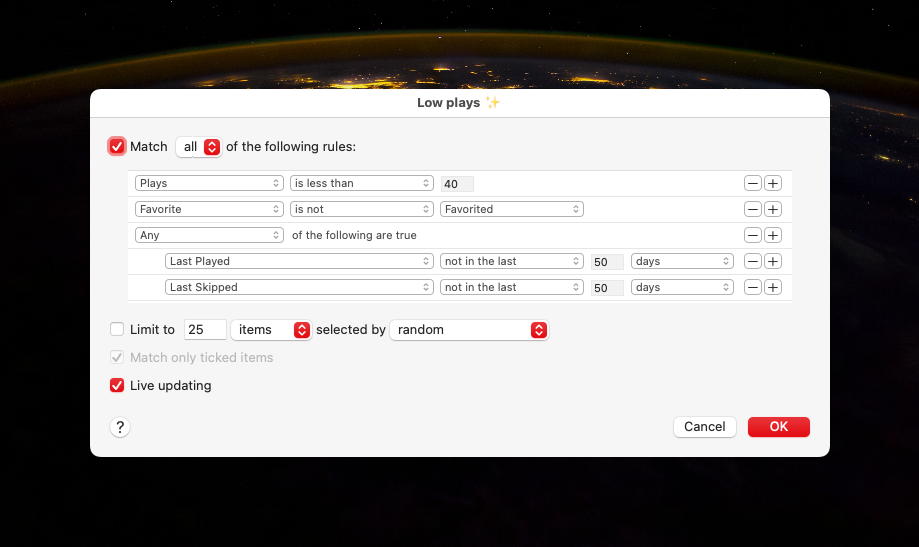
It’s been throwing up some good gear.
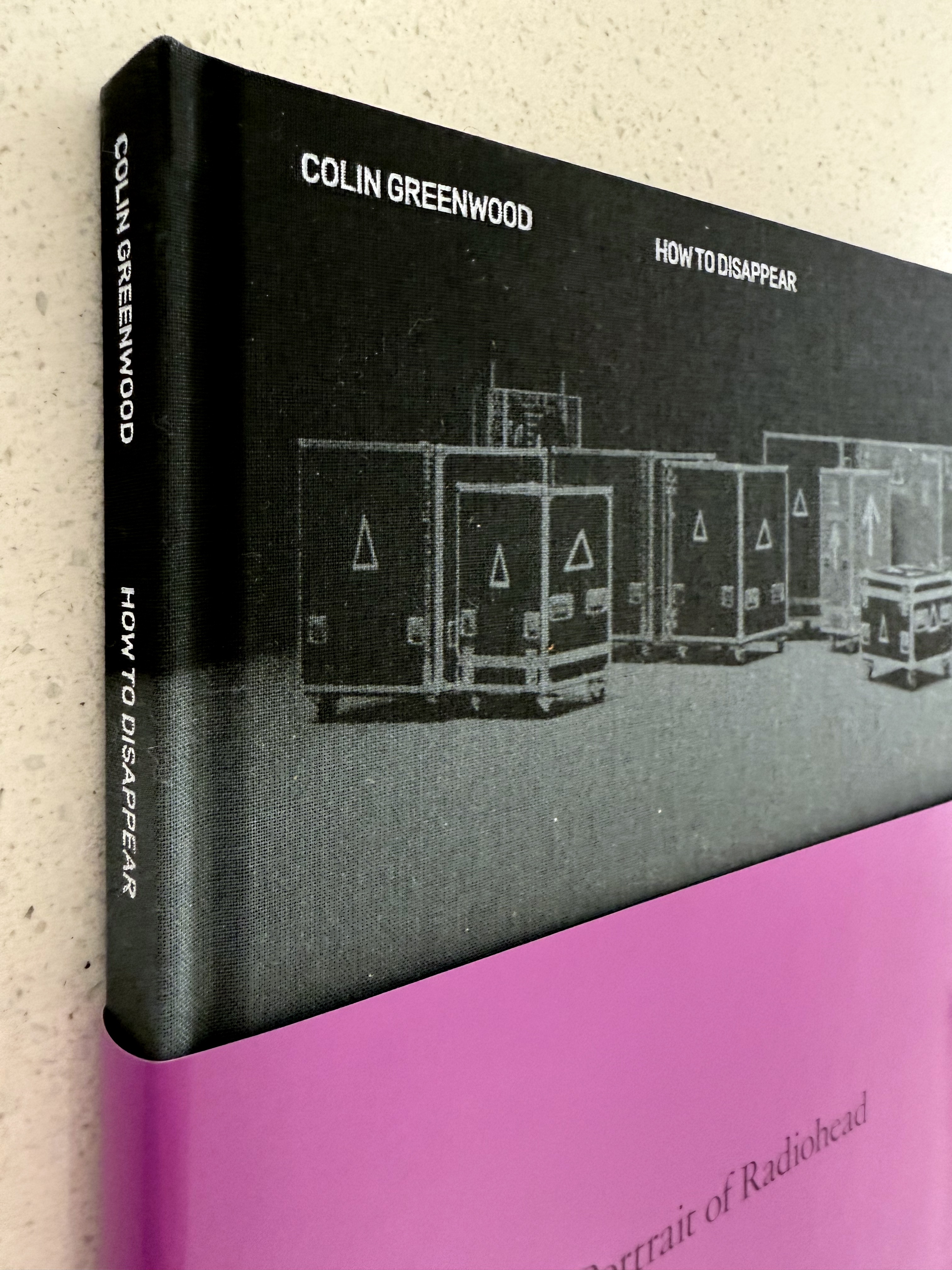
I’m working on reading more photography books.
So, yesterday, I grabbed Colin Greenwood’s How to Disappear while I was out and about1.
Colin gets some great candids of the recording and touring experience.
His collection of photos is another ode to the power of a plastic Yashica T4.
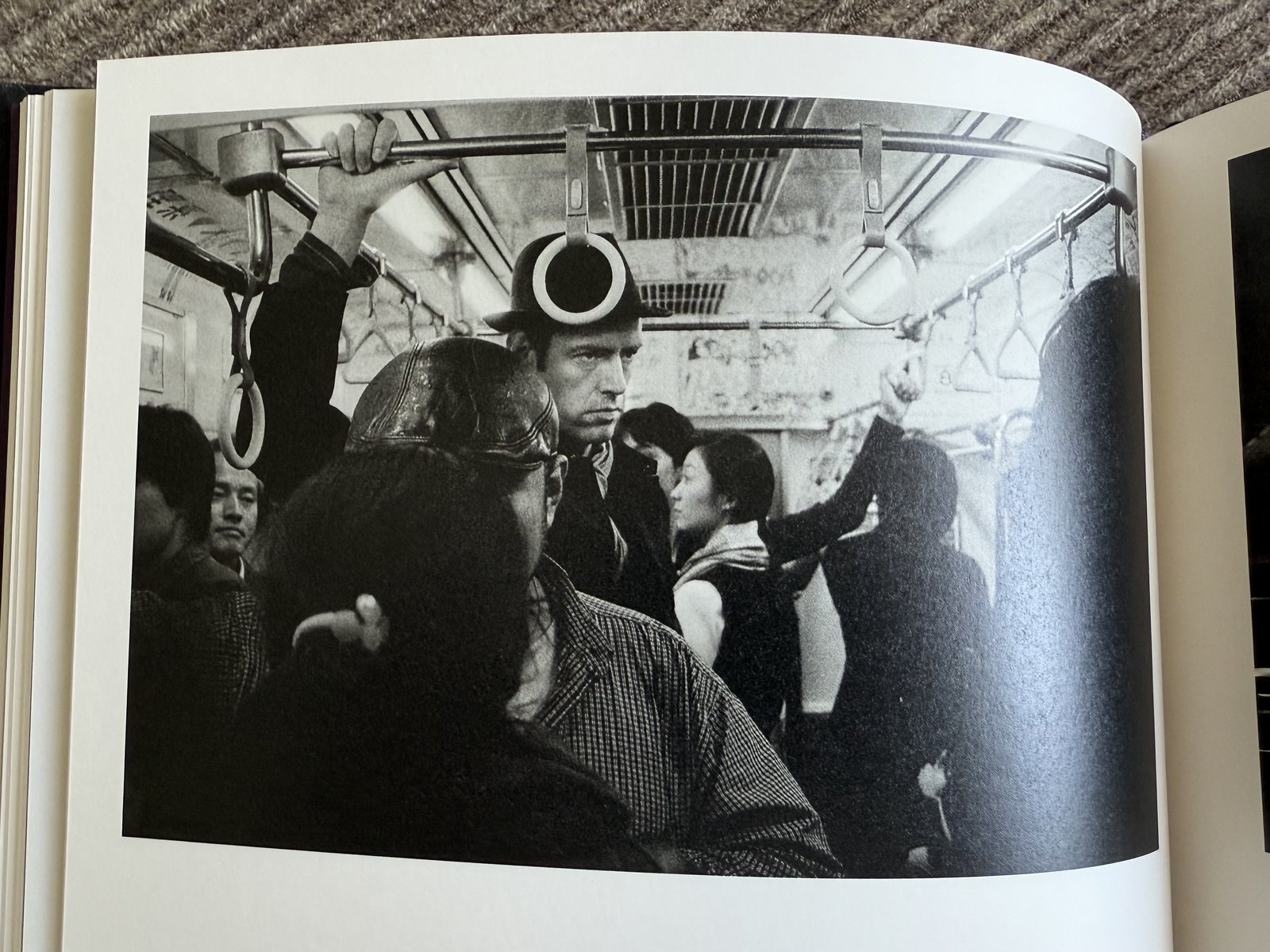
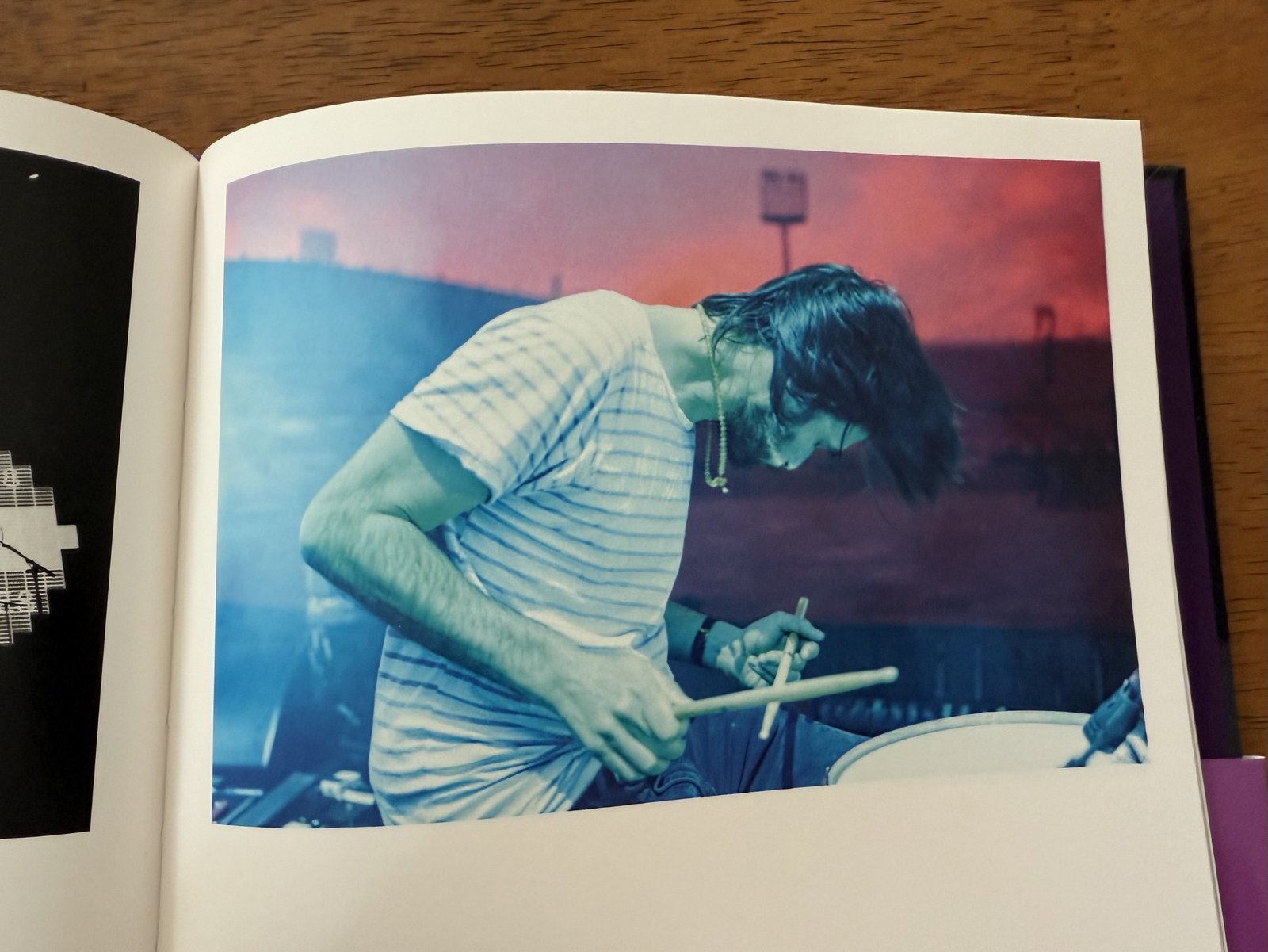
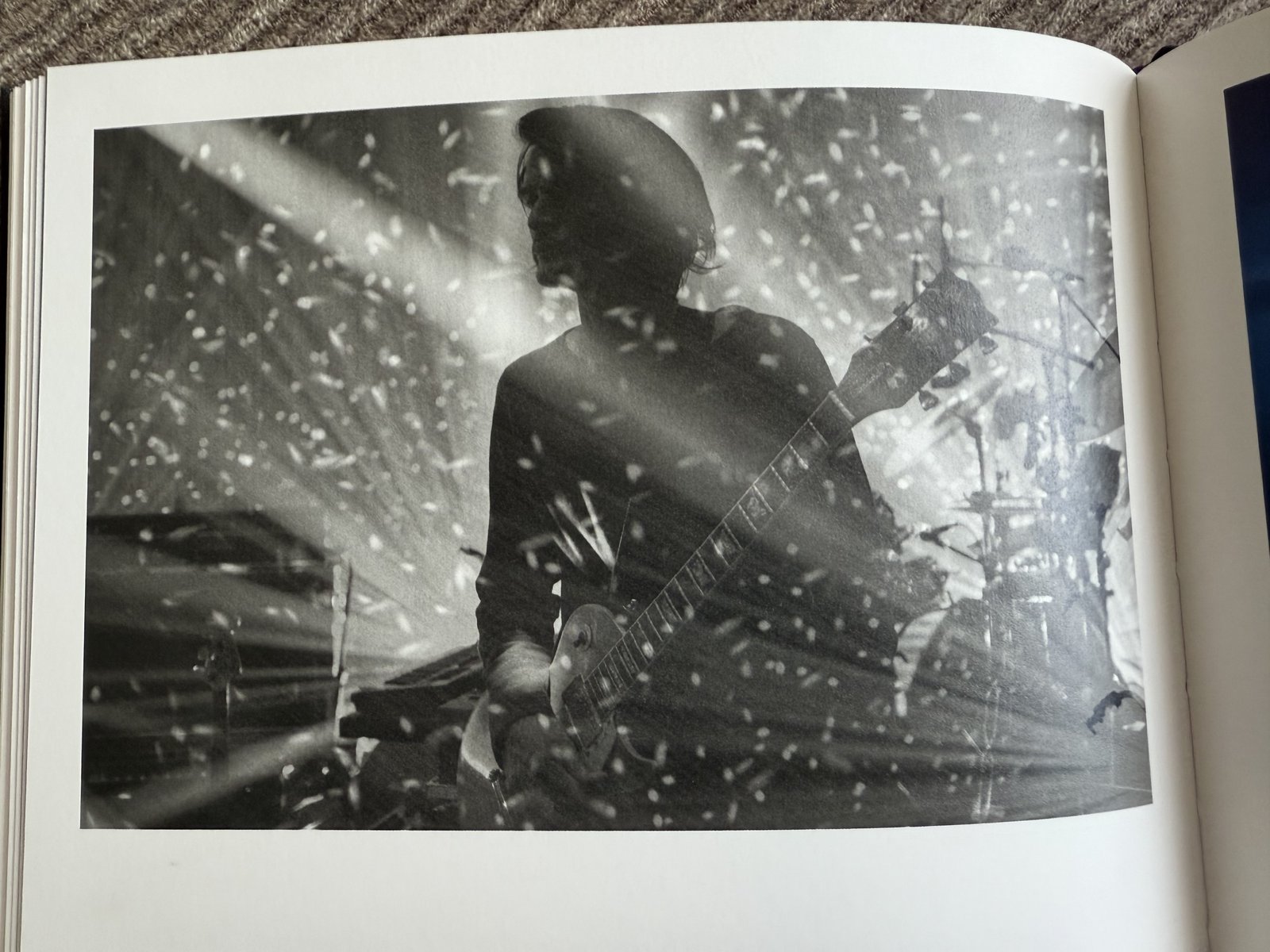

Combining Radiohead and photography is catnip for me. ↩︎





Time for another rundown post. Here are a bunch of macOS apps I use. You’ll see some entries from my previous iOS apps post mentioned.
DayOne - Where I journal.
NotePlan - My knowledge base for work. It uses plain Markdown files and has calendar-based notes which suit my workflow. I’ve used it for task management too, but don’t anymore. It’s just a searchable knowledge base of work notes and references for me.
Alfred - My quick launcher for apps and custom workflows I’ve collected and written. My workflow collection warrants a separate post.
Things - Where I track everything I want to do at work and at home. Syncs to my phone which is essential.
Bear - My note taking and personal knowledge base. I keep work specific notes in NotePlan rather than here.
MindNode - A clean mind mapping tool. Sometimes I find the spacial nature of mindmapping helps me structure my thoughts.
Fantastical - A calendar that shows my iCloud and Google calendars together. It’s getting a bit pricey for what I use it for so it may not make it past its next subscription cycle renewal.
MimeStream - A native GMail client. Goes good.
Bike - I swear the only reason I use this outliner is because of its delightful animations. I wish this UI was embedded in NotePlan.
Ulysses - Good for long form writing. I do less and less of this so am struggling to justify the subscription cost.
Monodraw - I love ASCII art.
Safari and Chrome - I use Chrome for work as it enables a bunch of features in the Google Suite. I to keep my personal browsing separate so I use use Safari for that. I use Choosy on my work machine to route common sites accordingly. I don’t use Chrome at all on my personal laptop. I gave Arc a crack for a while instead of Safari, it was kinda cool but ultimately not worth the battery drain.
1Blocker - Ad blocker for Safari.
StopTheMadness - Deal with a bunch of annoying stuff on the web.
Kagi Search - Supporting the little guy.
Supercopy - Provides a hot key to copy links (I loved this on Arc).
Instapaper - My read later service of choice.
Spotify - This cops a hiding.
Apple Music - I still have a bunch of my music in Apple Music (via iTunes Match) so I sometimes play music here. I use NepTunes to scrobble from Apple Music to Last.fm.
MusicBox - I save albums in here to listen to later.
VLC - O.G. video player.
Play - I save online videos in here to watch later. The Apple TV and iPad companion apps are killer.
DarkNoise - A white noise app. Goes great with over ear headphones.
Unread - Viva la RSS.
Ivory - For trawling Mastodon.
iTerm - Still a solid terminal, though Warp looks like a fresh approach.
VSCode - I didn’t see a Chromium tool winning but here we are. I like the vibes of Zed but dev containers keep me on VSCode.
NeoVim - This old Vim guy still throws up some motions in a terminal from time to time.
OrbStack - A nice way to run Docker containers.
Postico - A solid Postgres client.
Fork - I mostly use this Git client to stage partial lines and, increasingly, to rebase commits.
Lightroom Classic - This is where I manage and process the majority of my photos.
Photoshop - For those times you need finer grained processing.
Topaz Photo AI - Mostly used for upscaling old photos and noise reduction. With that said, the noise reduction that’s been added to Lightroom is pretty good so I might retire this sucker.
1Password - My password and secrets manager.
Moom - Adds a bit of window management for when I’m using an external monitor.
Karabiner Elements - Lets me customise my keyboard and mouse.
Apple Shortcuts - Handy for automation and gluing things together. Pairs well with Alfred.
ExpressVPN - 🕵️♂️
Soulver - Notes and calculations in one spot.
CleanShot X - Slick screenshots.

I love finding out about what apps other folks use so I thought I’d give a rundown on what’s on my iPhone.
Zenitizer - A meditation timer that can play some white noise and throw up chimes on a custom interval. Most of the other meditation apps are junky or have a bunch of courses in them and cost a bunch more.
MacroFactor - A calorie tracker app that has a nicer UX than MyFitnessPal. Remember kids, you can’t outrun your mouth.
Hevy - Fairly simple way to track strength workouts. The Apple Watch companion app is solid.
Fitbod - I’m not using it at the moment, but if you want an app to suggest workouts based upon equipment you have to hand that has good Apple Watch integration, this is great.
Darkroom - I like how this edits photos in place non-destructively. There’s decent variety in its preset community. Lightroom has better masking and noise reduction options which is sometimes helpful.
Retouch - When I want to spot remove blemishes, this app does a bang up job.
Halide - Manual shooting controls, and now with Process Zero, less processed raw images.
Google Photos - I use this mostly as a second photo library backup (after Apple Photos). The search is better than Apple photos (duh) and the geographic heatmap view is fun.
Leica and Fuji apps - Mostly used for pairing with my cameras so I can tag GPS coordinates as I shoot.
Lumy - A nice, sanely priced, golden hour tracker.
Kino - Doofus-proof colour grading and anti shake are baked into this video camera.
Instapaper - The O.G. read-it-later app for me. It’s still where I read and highlight the most.
Unread - My RSS feed reader. I use Feedbin as a backend. I use Unread to scan through my RSS feeds and triage articles I want to read. The ones I like, I send to Instapaper.
Kindle and Audible - I read or listen to most of my books here. Though, now that Spotify premium offers 15 hours a month of audiobook listening, I’m using that more. With that said, the Audible interface is way better.
O’Reilly - I have an O’Reilly subscription through work so I read some technical work on here.
Readwise - I’m on a grandfathered plan from the beta. I pump my Kindle and Instapaper highlights into this. The daily review feature in this app is like having flashcards for them.
The Economist - I read the “World in brief” most days to catch up on what’s happening around the traps.
StoryGraph - I’m trying this to track the books I want to read. It’s a bit clunky but does the job.
Spotify - My music subscription service of choice. I kick off most work weeks with my “Discover Weekly” playlist. Spotify’s recommendations continue to throw up things I haven’t heard before that I like.
Marvis - I still have a bunch of music uploaded to Apple Music via iTunes Match. Marvis is a nice player for my Apple Music library. It includes Last.fm scrobbling and lyrics viewing which is handy.
Overcast - My podcasting app of choice for years now. The Smart Speed feature is still killer.
MusicBox - I track albums I want to listen to in here.
Dark Noise - A white noise app for those times I need to lock into some work. Headphones on and fire up one of the mixes I’ve made.
Things - Where I track everything I want to do at work and at home. Syncs to my Mac and iPad which is essential.
Bear - My note taking and personal knowledge base. The UI is slick and the search and tagging works.
Gmail - I use Gmail for work and personal email so the standard app from Google makes sense.
Google Calendar - Somehow this is the best calendar app I’ve found. It handles iCloud calendars and Google calendars (for work) in one place well.
Day One - I’ve been journaling in this for something like 13 years. I love it. The “On this day” view surfaces up something interesting most days.
Mela - A nicely designed app for saving recipes.
1Password - I still use this for passwords and secrets for work and the family.
SwiftScan - It’s getting a bit pushy with upgrading but this base version still works a treat when it comes to scanning receipts or documents.
Soulver - In the venn diagram between a calculator and a spreadsheet.
Apple Photos - I export at least a JPG of all my photos here. The photo widget and Apple TV screensaver reliably bring me joy with the photos they surface.
Camera - This is the camera I use the most.
Apple Maps - The maps have gotten good and I prefer its turn-by-turn guidance over Google Maps.
Fitness and Health - I track all my workouts, activity, and sleep in here. Absolutes can be off but the trends are good to pay attention to.
Shortcuts - This hits me in the soft futzing centres of my soul. I enjoy gluing stuff together and making accessing apps easier.
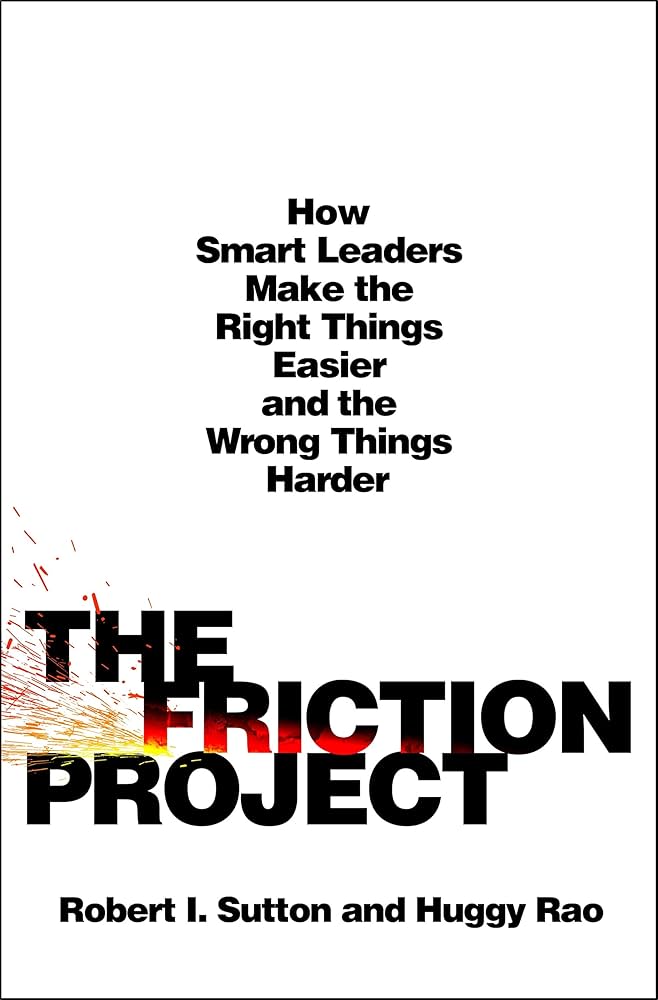
The Friction project collects strategies for removing and adding friction so organisations function better.
Here are some choice cuts.
We soon learned that the goal of becoming a “frictionless organization” is misguided. Yes, the people who run most organizations create too much debilitating friction. But many also ignore the opposite side of the coin, making the wrong things too easy for employees and customers.
…
The harder we humans work at something, and the more we suffer, the more we come to value it (independent of its objective value) because of our need to justify all that work to ourselves and others.
In August 1940, as his country prepared for waves of attacks by German planes, Winston Churchill set out to address a different enemy. In his 234-word “Brevity” memo, 1 he implored his colleagues to “see to it that their Reports are shorter.” The British prime minister urged them to write “short, crisp paragraphs,” to move complex arguments or statistics to appendices, and to stop using “officialese jargon” and “woolly phrases.” A few months later, Churchill asked bureaucrats to hear his “cry of pain” and remember that “the number and length of messages sent by a diplomat are no measure of his efficiency.”
…
Rohm and Haas teaches its leaders that when they face a decision with broad and enduring consequences, taking speedy, narrow, and impulsive action is a recipe for disaster. Instead, Rohm and Haas preaches the Five Voices method. Before making a big decision, leaders slow down, do careful research, and talk to people until they understand five key stakeholders: the customer, the employee, the owner, the community, and the process.
…
“There comes a point where we need to stop just pulling people out of the river. We need to go upstream and find out why they’re falling in.”
If you are more powerful than your colleagues or customers, you are at risk of being clueless about their friction troubles, and of how you add to their misery. Beware of such power poisoning.
…
“If you are the HIPPO, don’t be a hippo, be an elephant.”
i.e. have big ears rather than a big mouth.
…
The lesson, and perhaps the irony, of Tsedal and Sebastian’s study is that executives who deferred to subordinates moved up the pecking order faster than those who refused to bend to their underlings’ will and wisdom: Leaders were granted more power because they gave it away.
…
After Lindy’s team analyzed more than a hundred hours of observations and sixty interviews from ten start-ups, they found the best CEOs shifted between accentuating and flattening the hierarchy—and the worst ones treated the hierarchy as static.
When one CEO was asked if her team was flat or hierarchical, she explained, “You have to have both. If you don’t have that flat piece where you’re taking everyone’s input, you’re dropping expertise on the table, and if you don’t have a hierarchical piece, then you’re just heading in all different directions.” The best leaders “activated” their authority to squelch destructive conflict, when discussion and debate became repetitive, and time pressure necessitated immediate decisions. These flexible leaders “flattened” the hierarchy when creativity, problem-solving, and buy-in were top priorities.
People tend to add stuff to their work environments.
One of the more effective ways of removing destructive organisational friction is to instead subtract things.
Onboard People to the Organization, Not Just the Job – Friction fixers who are intent on building a culture of coordination go beyond training newcomers to perform their narrow job responsibilities. They teach newbies how their work meshes with that of others, how the organization functions, and how to use the system to help them do their work. This saves a lot of trouble down the road.
…
Build Roles and Teams Dedicated to Integration – The idea here is to create specialists in your organization who are charged with integrating the once-disconnected roles, silos, and action. The Cancer Center created a centralized CarePoint program to reduce the cancer tax for patients and their families. CarePoint administrators use their knowledge and relationships to smooth patient journeys, and when problems arise, patients and families have a place to turn for help.
…
Fix Handoffs – Bungled information exchanges between people in different roles, silos, shifts, and time zones are among the most potent causes of coordination snafus.
Anthropologists and sociologists document how, when something ends, people benefit from pausing to reflect on the past, what they’ve lost, what comes next, and what matters most and least to them—and to support one another. Be it the end of a meeting, a day, a game, a career, a life, a team, a project, or an organization.
…
Patty McCord, who was Netflix’s chief talent officer for the company’s first fourteen years, told us, “The most important role I played at Netflix was, at the end of every executive meeting, to say, ‘Have we made any decisions in the room today, and if we have, how are we going to communicate them?’”
The third leadership principle is organizational design is the highest form of friction fixing. Most of the time, leaders don’t have the luxury of designing a workplace from scratch. So most must find ways to manage in existing and imperfect systems.
Some photos I’ve taken while on my walks near home.









I was in Mexico for work a couple of weeks ago and managed to steal away for a little to take some photos around Guadalajara and Tlaquepaque.















Each Friday afternoon, I write a summary of my work week that includes my achievements, the impediments I encountered, and my goals for the next week1.
This last step proves to be quite valuable the following Monday morning.
I start my week with my weekly review. One of the first things I do is review the goals I set the previous Friday. This way, I can shake off the Monday morning rust and immediately aim for something. It eases my way into a work headspace and my work week.
This process reminds me of the advice to end your writing sessions mid-sentence so you can carry that momentum forward when you next sit down to write.

When people ask me what it takes to get recognised at work and progress in their careers, I generally suggest two directions they can pursue.
Option one: Demonstrate deep expertise in an area that is strategically important to the business.
Option two: Demonstrate the ability to solve meaningful problems. The broader the problem and the higher the ambiguity, the more valuable you are if you can drive it to a positive outcome. This is especially relevant in dynamic environments where changing conditions make people with adaptable skills who can work across a variety of contexts valuable.
Career maps and expectation matrices are very useful, but sometimes people can get lost in the details. I like these rules of thumb as a way to help people keep their eyes on the prize.
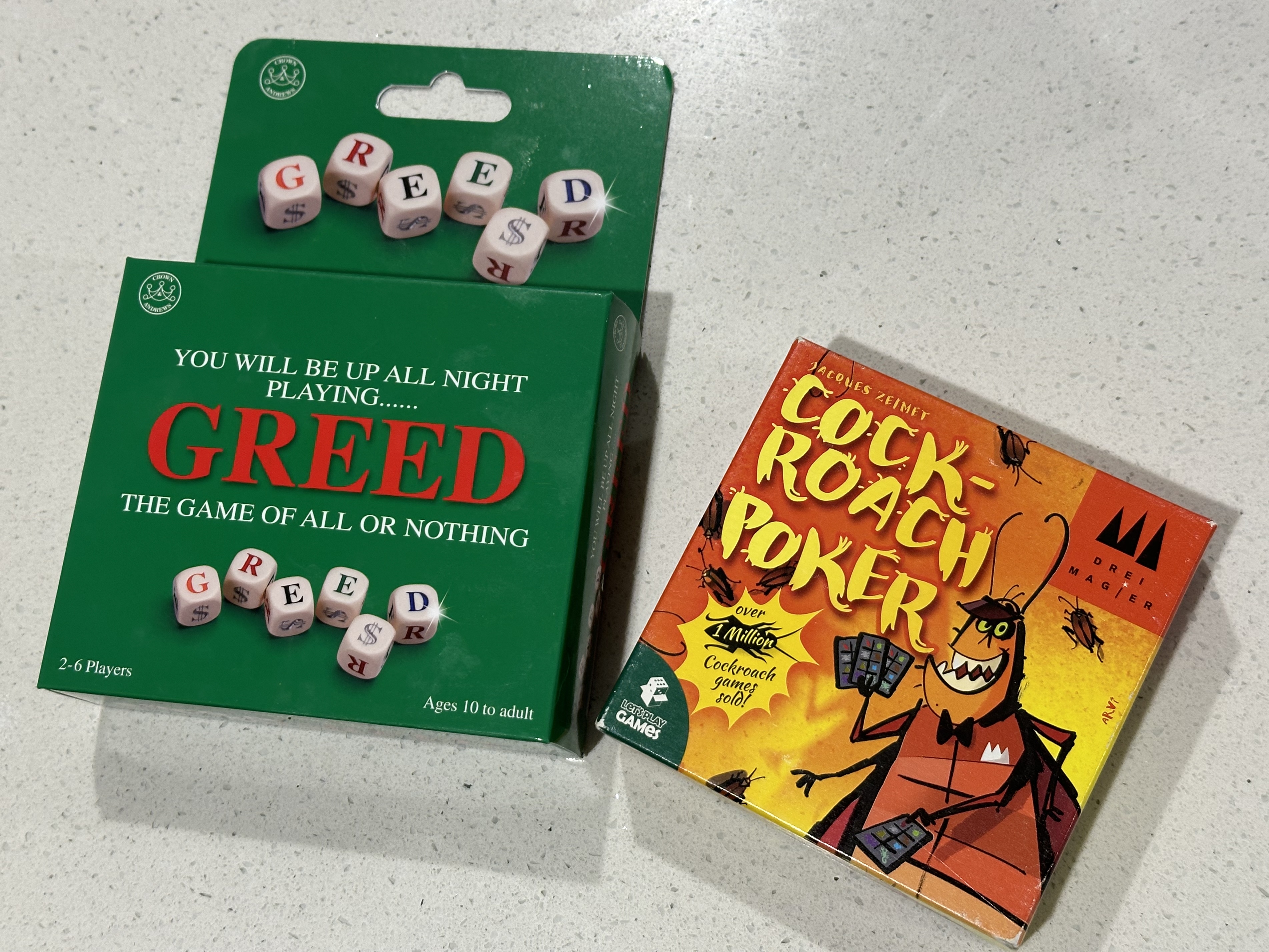
A couple of games that are fun, cheap, compact, and handy to take traveling are Greed and Cockroach Poker.
Greed is a breezy dice game where you decide how far to push your luck.
Cockroach Poker is good fun in larger groups when you want to get your bluffing on1.
Give them a crack.
It always amazes me how you can go on runs where you start stacking up cards and can’t stop the flow. ↩︎
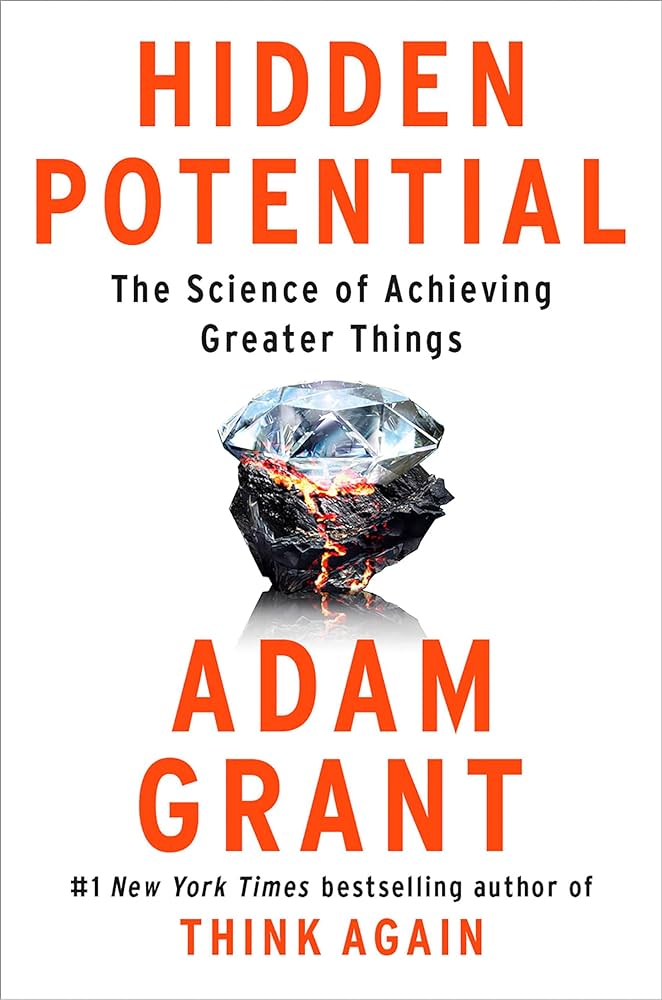
Adam Grant stuffs Hidden Potential with loads of anecdotes and research on growth, learning, and performance.
Excellence relies less on our natural talent.
It’s more about proactiveness, collaboration, discipline, and determination.
It’s never too late to build character traits in life to get this benefit.
There are lots of different ways to learn. Mixing them up is worth it.
Sometimes working in your least preferred way is better for learning as it forces you to work harder.
Ask loads of questions and take notes. Seek and soak up information.
Asking others for one thing you can do to improve will help surface up lessons and ways to improve faster.
Take small steps or slices and build gradually.
Not aiming for perfection can unlock good solutions.
Adding play makes practice more effective.
Also ensure you take regular breaks as that’s a more effective way of internalising lessons and practice.
Progress isn’t linear.
A rut or plateau or stagnation isn’t a signal you’ve hit your peak. It’s a chance to back up and try a different approach.
You will need to regress to progress.
Pooling study resources in a group leads to higher collective outcomes.
The tutor effect: teaching others improves your understanding.
Being doubted by experts can have a demoralising effect. Being doubted by non-experts can drive higher performance.
When someone ignorant doubts you it feels like a challenge.
If credible people believe in us it is a signal that we should believe in ourselves.
It’s more important to be good ancestors than dutiful descendants.
The Finnish education system was focused on early intervention.
All kids are given attention—not just those that show early potential.
Teachers can stay with student for multiple years in a row—this is known as “looping”.
Teachers get more break time so they can better prepare.
Play leads to a love of learning.
I’m giving MusicBox and Play a crack for keeping track of music I want to listen to and videos I want to watch1.
I was previously managing my music to listen to via a specific playlist in Spotify so I migrated that across.
For video, I migrated my YouTube Watch Later list, Instapaper videos folder, and AppleTV+ and Netflix watch later lists across.
I like how the apps sync across all my Apple devices and everything is in one spot.
I’m especially keen to give the Play app on AppleTV a try.
Now I need something similar for all my podcasts and audiobooks.
I already use Instapaper for articles I want to read later. ↩︎
The Psychology of Money covers how doing well with money is more dependent on your behaviour than what you know.
Here are some of the topics that stood out to me.
Wealth is income not spent. An option not yet taken to buy something later. Its value lies in giving you options and flexibility.
“Does this help me sleep at night?” is the best universal guide post of all financial decisions.
If you want to do better as an investor the best thing you can do is increase your time horizon. Time is the most powerful force in investing it makes little things grow big and big mistakes fade away.
Use money to gain control over your time because not having control of your time is a powerful and universal drag on happiness.
The ability to do what you want, when you want, with who you want, for as long as you want to, pays the highest dividend.
Only the paranoid survive. We can’t assume that yesterday’s success will translate to today.
What differentiates those who succeed is survival, not growth or brains, the ability to stick around for a long time.
Having an edge and surviving are two different things, the first requires the second, you need to avoid ruin at all costs.
Appreciate the following:
A small number of events can be responsibile for the majority of outcomes.
All big wins come in the distribution tails. Grab a broad set of things and wait for the winners to emerge. Most will be worth nothing, a very few may win big.
Art collectors grabbed portfolios of art across different emerging artists. Most of their collection was worthless, some had a bunch of Picassos.
Much of investing is out of your control. Personal savings and frugality are within your control and is effective now and in the future.
Have a buffer for the inevitable surprises life will throw at you.
History is littered with good ideas taken too far which makes them indistinguishable from bad ideas.
The only way to deal with unknowns is to increase the gap between what you think will happen from what can happen while still leaving you able to fight another day.
Ben Graham: “The purpose of the margin of safety is to render the forecast unnecessary.”
Margin of safety is the only effective way to navigate a world dominated by odds and not certainties.
Even a five percent chance of ruin is not worth the risk over the long term. Leverage is something that can push routine risks into areas where they can produce ruin.
Think of your own money as barbelled. Take risks with one portion and be terrified with the rest.