How I Reversed Amazon's Kindle Web Obfuscation Because Their App Sucked
A story of persistence.
Bytes that get stuck in your teeth.
A story of persistence.
Some practical advice on supporting AI agents from Diwank Tomer.
Two things that stood out to me:

As Gen AI programming tools continue to develop, I’m wondering what things will look like when we remove the human from the loop.
At that point, all the code that’s generated is solely for the AI. All the human-focused concerns we care about in code disappear—it becomes a black box. The code effectively becomes another intermediate language for a new layer on the stack.
As long as the solution fulfils its requirements and fits within the constraints of security and cost for the necessary performance, we’re happy.
Code structures and data schemas don’t matter—so long as the AI can refactor them to meet new requirements as they emerge.
It reminds me of stories of when assembly programmers first saw these flash new C compilers arrive on the scene and generate all this assembly code that no human had directly written.
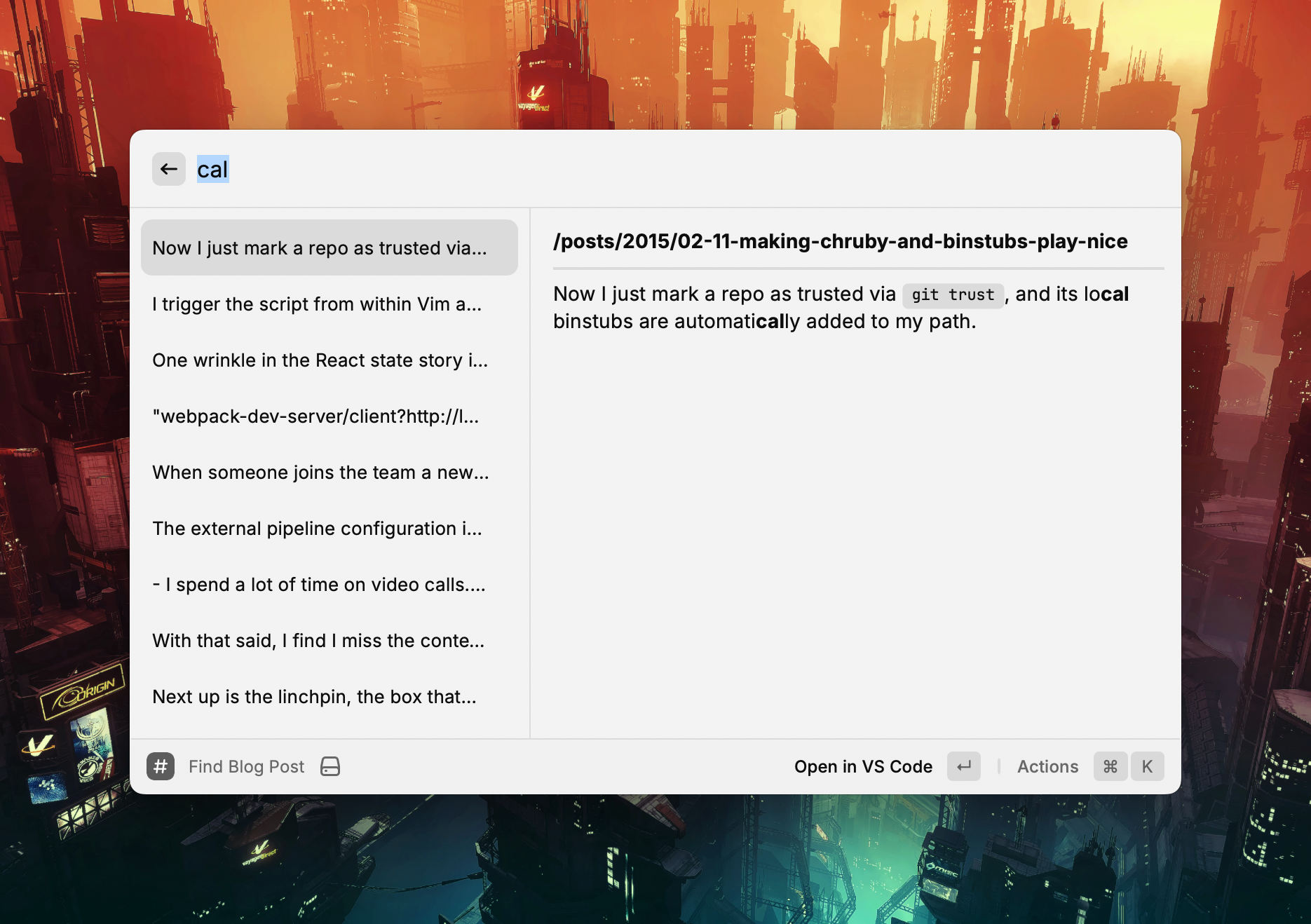
I’ve been looking for a way to search through the local copy of my blog using Raycast.
I ended up writing a custom extension to do it. ChatGPT helped grease the way—especially in rendering the results.
It uses a brute force grep over the files’ contents which works fine given the size of the repository.
The two main actions on the extension are opening the post in my editor and copying a Markdown link to the post1.
Here is a look at the Raycast command:
export default function Command() {
  const [query, setQuery] = useState<string>("");
  const [results, setResults] = useState<SearchResult[]>([]);

  useEffect(() => {
    if (query.trim() === "") {
      setResults([]);
      return;
    }
    try {
      const posts = getAllPosts(BASE_PATH, BLOG_SUBDIRS);
      const matches = searchPosts(posts, query);
      setResults(matches);
    } catch (err) {
      console.error("Error reading blog posts:", err);
    }
  }, [query]);

  return (
    <List onSearchTextChange={setQuery} throttle isShowingDetail>
      {results.map(({ file, snippet }) => {
        const filename = path.basename(file);
        const relativePath = path.relative(BASE_PATH, file).replace(/\\/g, "/");

        // Convert to URL relative from site root based upon Hugo URL config
        const relativeUrl = `/${relativePath.replace(/\.md$/, "").replace(/\/\d\d\d\d-/, "/")}`;

        // Grab the title from the front matter
        const fileContent = fs.readFileSync(file, "utf8");
        const titleMatch = fileContent.match(/^title:\s*(.*)$/m);
        const title = titleMatch ? titleMatch[1].replace(/^['"]|['"]$/g, "") : filename;
        const markdownLink = `[${title}](${relativeUrl})`;

        return (
          <List.Item
            key={file}
            title={snippet.replace(/\*\*/g, "")}
            detail={<List.Item.Detail markdown={`**${relativeUrl}**\n\n---\n\n${snippet}`} />}
            actions={
              <ActionPanel>
                <Action.Open title="Open in VS Code" target={file} application="/Applications/Visual Studio Code.app" />
                <Action.CopyToClipboard title="Copy Markdown Link" content={markdownLink} />
              </ActionPanel>
            }
          />
        );
      })}
    </List>
  );
}
And here is the full file.
Which is handy when cross linking while writing other posts. ↩︎
A replication focused storage engine.
Summaries is a feature I’ve long wanted in Instapaper.
In this post, Brian Donohue goes through how he implemented it.
Steve Nadis:
computer scientists have described a new way to approximate the number of distinct entries in a long list, a method that requires remembering only a small number of entries.
It always fascinates me when introducing randomness enables new approaches.
Kevin Yank:
From time to time someone will ask, “Does Culture Amp still use Elm?” I’ll answer privately that no, we are no longer investing in Elm, and explain why. Invariably, they tell me my answer was super valuable, and that I should share it publicly. Until now, I haven’t.
A long list of gems and tools.
I rebuilt A Strange Kind of Madness using Hugo a month or so ago. As with most photoblogs, it has pages with many images on them, and I was inspired by Photo Stream to load these images lazily.
If you want Hugo to resize images when it builds a site, you need to place your images alongside posts, so they are considered page resources. So, I put each post in a folder with its associated image and reference it in a field called, shockingly, image in the post front matter.
$ ls content/posts/2020-03-31-my-post
20200331-4491.jpg
index.md

$ cat content/posts/2020-03-31-my-post/index.md
+++
title = My Post
date = 2020-03-31T10:42:00+08:00
image = 20200331-4491.jpg
+++
Roll-up pages have many thumbnails and benefit most from lazy loading.
First up, add the lazyload javascript library to your site build.
import Lazyload from "lazyload";

// Fire up our lazyloading (just initialising it does the job)
const _lazyload = new Lazyload();
The library’s default configuration targets images with the lazyload class and loads the image stored in the data-src attribute. If you place an image on the standard src attribute, it will be treated as a placeholder.
I wanted something more interesting than a sea of grey rectangles for placeholder images. I had a look at using BlurHash, but that was going to involve rendering canvas elements for placeholders 1.
I want the front end to be as simple as possible 2, so I abandoned that approach and instead created a single-pixel resize of the source image which provides a simplistic average colour placeholder for each image. It does the trick.

All of the necessary resizing code and markup is in a Hugo partial that renders a thumbnail for each post. Be sure that your image tags include width and height attributes so the browser lays them out correctly such that lazy loading is effective.
{{- with .Resources.GetMatch (.Params.image) -}} {{/* Resize to a single pixel
for a placeholder image */}} {{- $placeholder := .Resize "1x1" -}} {{/* Resize
to 800 pixels wide for a thumbnail image */}} {{- $thumbnail := .Resize "800x"
-}}
<img
  src="{{ $placeholder.RelPermalink }}"
  data-src="{{ $thumbnail.RelPermalink }}"
  width="{{ $thumbnail.Width }}"
  height="{{ $thumbnail.Height }}"
  class="lazyload"
/>
{{- end -}}
The main downside to this is that two resizes for each image adds a bunch of time to the site’s build process but that’s a trade off I’m willing to make.
Go forth, and embrace laziness.
Or integrating React components that handle this for you. ↩︎
The only Javascript it uses is for this lazy loading. ↩︎
Using Javascript Proxies to provide immutable data with a native feel.
Creating an event sourced, CQRS application is simple enough conceptually but there is a lot of hidden detail when it comes to building them. There are a couple of event sourcing libraries I’ve used that can help.
The first, Event Sourcery, is in Ruby and created by my colleagues at Envato. You can use Postgres as your data store and it gives you what you need to build aggregates and events and projectors and process managers.
The immutability and process supervision baked into Elixir makes it a compelling option for implementing these kind of applications as well. Commanded is written in Elixir and follows a very similar approach to Event Sourcery and works a treat.
I’ve been meaning to work out how to maintain the convenience of the Lodash’s _.chain function whilst only including the parts of Lodash that I actually need.
Turns out you can cherry pick the fp version of the functions you need and compose them together with _.flow.
import sortBy from "lodash/fp/sortBy";
import flatMap from "lodash/fp/flatMap";
import uniq from "lodash/fp/uniq";
import reverse from "lodash/fp/reverse";
import flow from "lodash/fp/flow";

const exampleData = [
  {
    happenedAt: "2017-06-15T19:00:00+08:00",
    projects: ["Project One"],
  },
  {
    happenedAt: "2017-06-16T19:00:00+08:00",
    projects: ["Project One", "Project Two"],
  },
];

const listOfProjectsByTime = (entries) => {
  return flow(
    sortBy("happenedAt"),
    reverse,
    flatMap("projects"),
    uniq
  )(entries);
};
You can read more in Lodash’s FP Guide.
The default template for an Atom feed in Middleman Blog uses the last modified time of an article’s source file as the article’s last update time. This means that if I build the site on two different machines I will get different last updated times on articles in the two atom feeds. I’d rather the built site look the same regardless of where I build it.
The source code for the site lives in a Git repository which means I have a consistent source for update times that I can rely on. So, I’ve added a helper that asks Git for the last commit time of a file and falls back to its last modified time if the file isn’t currently tracked in Git.
helpers do
 def last_update_time(file)
    Time.parse `git log -1 --format=%cd #{file} 2>/dev/null`
  rescue
    File.mtime(file)
  end
do
I now use this helper in my Atom template for each article.
xml.entry do
  xml.published article.date.to_time.iso8601
  xml.updated last_update_time(article.source_file).iso8601
  xml.content article.body, "type" => "html"
end
How to follow good practices with Bash.
I use Middleman to build most of my content-focused websites. With the upgrade to version 4 comes the opportunity to move the asset pipeline out to an external provider such as Webpack.
I struggled to find good examples of how to integrate Webpack 2 with Middleman 4 so I’m documenting the approach I used here. For example code refer to middleman-webpack on Github.
Build and development commands for webpack are in package.json.
"scripts": {
  "start": "NODE_ENV=development ./node_modules/webpack/bin/webpack.js --watch -d --color",
  "build": "NODE_ENV=production ./node_modules/webpack/bin/webpack.js --bail -p"
},
The external pipeline configuration in Middleman just calls those tasks.
activate :external_pipeline,
           name: :webpack,
           command: build? ? "yarn run build" : "yarn run start",
           source: ".tmp/dist",
           latency: 1

set :css_dir, 'assets/stylesheets'
set :js_dir, 'assets/javascript'
set :images_dir, 'images'
Assets are loaded by Webpack from the assets folder outside of the Middleman source directory1. Webpack includes any JS and CSS imported by the entry point files in webpack.config.js and generates bundle files into the asset paths Middleman uses.
module.exports = {
  entry: {
    main: "./assets/javascript/main.js",
  },

  output: {
    path: __dirname + "/.tmp/dist",
    filename: "assets/javascript/[name].bundle.js",
  },

  // ...
};
The config for Webpack itself is fairly straightforward. The ExtractText plugin extracts any included CSS into a file named after the entry point it was extracted from.
module.exports = {
  // ...

  plugins: [new ExtractTextPlugin("assets/stylesheets/[name].bundle.css")],

  // ...
};
This means you can include your styles from your JS entry file like normal and Webpack will extract the styles properly2.
Using the standard Middleman helpers to include the generated JS and CSS bundles allows Middleman to handle asset hashing at build time.
<head>
  <%= stylesheet_link_tag "main.bundle" %>
</head>

<body>
  <%= javascript_include_tag "main.bundle" %>
</body>
If you want to add modern JS and CSS to a bunch of statically generated pages then Middleman and Webpack works fine.
If, however, you are looking for a boilerplate for building a React SPA then something like react-boilerplate or create-react-app is likely a better fit.
I’m building an application in Elm and have been working on a strategy for breaking it down into smaller pieces.
My preferred approach is a few minor tweaks to the pattern used in this modular version of the Elm TodoMVC application1.
The file structure is as follows.
$ tree src
src
├── Global
│   ├── Model.elm
│   ├── Msg.elm
│   └── Update.elm
├── Main.elm
├── Model.elm
├── Msg.elm
├── TransactionList
│   ├── Components
│   │   ├── FilterForm.elm
│   │   └── TransactionTable.elm
│   ├── Model.elm
│   ├── Msg.elm
│   ├── Update.elm
│   └── View.elm
├── Update.elm
└── View.elm
Global contains global state and messages, and TransactionList is a page in the application.
The top level Model, Msg, Update, and View modules stitch together the lower level components into functions that are passed into the top level Elm application (as shown below).
--
-- Main.elm
--
import Html.App as Html
import Model
import Update
import View

main : Program Never
main =
    Html.program
        { init = Model.init
        , update = Update.updateWithCmd
        , subscriptions = Update.subscriptions
        , view = View.rootView }

--
-- Model.elm
--
module Model exposing (..)

import Global.Model as Global
import TransactionList.Model as TransactionList

type alias Model =
    { global : Global.Model
    , transactionList : TransactionList.Model
    }

init : ( Model, Cmd msg )
init =
    ( initialModel, Cmd.none )

initialModel : Model
initialModel =
    { global = Global.initialModel
    , transactionList = TransactionList.initialModel
    }

--
-- Msg.elm
--
module Msg exposing (..)
import Global.Msg as Global
import TransactionList.Msg as TransactionList

type Msg
    = MsgForGlobal Global.Msg
    | MsgForTransactionList TransactionList.Msg
One of the things I like about this pattern is how readable each top level module is with import aliases.
The view and update functions compose similarly but I pass the top level model down to both so that they can cherry pick whatever state they need.
The lower level update functions can look at all the state and just return the piece of the model they are responsible for. For example the Global model can have common entities and state specific to the transaction list live in the TransactionList model.
Views are similar in that they can take state from the global model as well as their own model and render as necessary.
--
-- Update.elm
--
module Update exposing (..)

import Msg exposing (Msg)
import Model exposing (Model)
import Global.Update as Global
import TransactionList.Update as TransactionList

updateWithCmd : Msg -> Model -> ( Model, Cmd Msg )
updateWithCmd msg model =
    ( update msg model, updateCmd msg )

update : Msg -> Model -> Model
update msg model =
    { model
        | global = Global.update msg model
        , transactionList = TransactionList.update msg model
    }

updateCmd : Msg -> Cmd Msg
updateCmd msg =
    Cmd.batch
       [ TransactionList.updateCmd msg
       ]

--
-- View.elm
--
module View exposing (..)

import Model exposing (Model)
import Msg exposing (Msg)
import TransactionList.View as TransactionListView
import Html exposing (..)
import Html.Attributes exposing (..)

rootView : Model -> Html Msg
rootView model =
    div [ class "container" ]
        [ TransactionListView.view model ]
This approach seems to be working pretty well so far and it seems like adding routing shouldn’t be too difficult.
Boilerplate for developing Elm apps on Webpack.
I don’t understand a bunch of this but it has me intrigued.
I pulled the pin on working in the React/Redux space a few months ago after I became tired of the churn. Things were moving quickly and I found myself spending more time wiring together framework code than writing application code. This kind of thing sneaks up on you.
One glaring ommission was a preconfigured and opinionated build chain. I moved from starter kit to starter kit chasing the latest webpack-livereload-hot-swap-reload shine. Each kit was subtly different to the one before it. Not just their build components either. I missed having agreed-upon file conventions on where to store your actions, reducers, stores, and friends. It made me appreciate the curation provided by the Ember team in their toolchain.
The creation of Create React App (triggered by Emberconf no less) is a step in the right direction. Bravo.
A list of everything that could go in the <head> of your HTML document.
Guidelines for using rspec.
Lots of great tips in here.
Eric Clemmons:
At work this past quarter, we painstakingly started three new projects at work. I say “painstakingly” because every project required decisions to be made around tooling depending on the scope & needs.
Ultimately, the problem is that by choosing React (and inherently JSX), you’ve unwittingly opted into a confusing nest of build tools, boilerplate, linters, & time-sinks to deal with before you ever get to create anything.
the React ecosystem have, largely, opted for discrete modularization at the cost of terse APIs by offloading their architectural underpinnings to the user and, as a result, worsen the developer experience in aggregate.
Yep, the developer experience in Javascript at the moment is painful. The wide array of choice is crippling and the boilerplates and generators aren’t enough. I hope the following prediction from the article comes true.
2016 will likely involve a serious, focused conjoining of projects, tools, and language features to merge the best and brightest packages/tools/boilerplates into more formalized projects. — Matt Keas in State of the Union.js
Michael Fogus:
The approach that I now use for releasing code into the wild is governed by an approach called the “100:10:1 method,” a term coined by Nick Bentley.
I think I will give this a try.
Evan Czaplicki:
One of Elm’s goals is to change our relationship with compilers. Compilers should be assistants, not adversaries. A compiler should not just detect bugs, it should then help you understand why there is a bug. It should not berate you in a robot voice, it should give you specific hints that help you write better code. Ultimately, a compiler should make programming faster and more fun!
I’ve enjoyed stretching my brain a bit whilst learning Elm. These changes will improve the learning process tremendously.
A while ago I decided to graft React and Flux onto an existing Rails app using Webpack. I opted to avoid hacking on Sprockets and instead used Guard to smooth out the development process.
This is me finally writing about that process.
I installed all the necessary node modules from the root of the Rails app.
Dependencies and scripts from package.json:
{
  "scripts": {
    "test": "PHANTOMJS_BIN=./node_modules/.bin/phantomjs ./node_modules/karma/bin/karma start karma.config.js",
    "test-debug": "./node_modules/karma/bin/karma start karma.debug.config.js",
    "build": "./node_modules/webpack/bin/webpack.js --config webpack.prod.config.js -c"
  },
  "dependencies": {
    "classnames": "^1.2.0",
    "eventemitter3": "^0.1.6",
    "flux": "^2.0.1",
    "keymirror": "^0.1.1",
    "lodash": "^3.5.0",
    "moment": "^2.9.0",
    "react": "^0.13.0",
    "react-bootstrap": "^0.19.1",
    "react-router": "^0.13.2",
    "react-router-bootstrap": "^0.12.1",
    "react-tools": "^0.13.1",
    "webpack": "^1.7.3",
    "whatwg-fetch": "^0.7.0"
  },
  "devDependencies": {
    "jasmine-core": "^2.2.0",
    "jsx-loader": "^0.12.2",
    "karma": "^0.12.31",
    "karma-jasmine": "^0.3.5",
    "karma-jasmine-matchers": "^2.0.0-beta1",
    "karma-mocha": "^0.1.10",
    "karma-mocha-reporter": "^1.0.2",
    "karma-phantomjs-launcher": "^0.1.4",
    "karma-webpack": "^1.5.0",
    "mocha": "^2.2.1",
    "node-inspector": "^0.9.2",
    "phantomjs": "^1.9.16",
    "react-hot-loader": "^1.2.3",
    "webpack-dev-server": "^1.7.0"
  }
}
I wanted a single command to run my development server as per normal Rails development.
Firstly, I set up the Webpack config to read from, and build to app/assets/javascripts.
From webpack.config.js:
var webpack = require("webpack");

module.exports = {
  // Set the directory where webpack looks when you use 'require'
  context: __dirname + "/app/assets/javascripts",

  // Just one entry for this app
  entry: {
    main: [
      "webpack-dev-server/client?http://localhost:8080/assets",
      "webpack/hot/only-dev-server",
      "./main.js",
    ],
  },

  plugins: [new webpack.HotModuleReplacementPlugin()],

  output: {
    filename: "[name].bundle.js",
    // Save the bundle in the same directory as our other JS
    path: __dirname + "/app/assets/javascripts",
    // Required for webpack-dev-server
    publicPath: "http://localhost:8080/assets",
  },

  // The only version of source maps that seemed to consistently work
  devtool: "inline-source-map",

  // Make sure we can resolve requires to jsx files
  resolve: {
    extensions: ["", ".web.js", ".js", ".jsx"],
  },

  // Would make more sense to use Babel now
  module: {
    loaders: [
      {
        test: /\.jsx?$/,
        exclude: [/node_modules/, /__tests__/],
        loaders: ["react-hot", "jsx-loader?harmony"],
      },
    ],
  },
};
Then the Rails app includes the built Webpack bundle.
From app/assets/javascripts/application.js:
//= require main.bundle
To get access to the Webpack Dev Server and React hot loader during development I added some asset URL rewrite hackery in development mode.
From config/environments/development.rb:
  # In development send *.bundle.js to the webpack-dev-server running on 8080
  config.action_controller.asset_host = Proc.new { |source|
    if source =~ /\.bundle\.js$/i
      "http://localhost:8080"
    end
  }
Then I kick it all off via Guard using guard-rails and guard-process.
Selections from Guardfile:
# Run the Rails server
guard :rails do
  watch('Gemfile.lock')
  watch(%r{^(config|lib)/.*})
end

# Run the Webpack dev server
guard :process, :name => "Webpack Dev Server", :command => "webpack-dev-server --config webpack.config.js --inline"
All Javascript and JSX files live in app/assets/javascripts and app/assets/javascripts/main.js is the application’s entry point.
To develop locally I run guard, hit http://localhost:3000 like normal, and have React hot swapping goodness when editing Javascript files.
I originally tried integrating Jest for Javascript tests but found it difficult to debug failing tests whilst using it. So, I switched to Karma and Jasmine and had Guard run the tests continually.
From Guardfile:
# Run Karma
guard :process, :name => "Javascript tests", :command => "npm test", dont_stop: true do
  watch(%r{Spec.js$})
  watch(%r{.jsx?$})
end
Like Jest, I keep tests next to application code in __tests__ directories. Karma will pick them all up based upon file suffixes.
A test-debug npm script1 runs the tests in a browser for easy debugging.
karma.config.js:
module.exports = function (config) {
  config.set({
    /**
     * These are the files required to run the tests.
     *
     * The `Function.prototype.bind` polyfill is required by PhantomJS
     * because it uses an older version of JavaScript.
     */
    files: [
      "./app/assets/javascripts/test/polyfill.js",
      "./app/assets/javascripts/**/__tests__/*Spec.js",
    ],

    /**
     * The actual tests are preprocessed by the karma-webpack plugin, so that
     * their source can be properly transpiled.
     */
    preprocessors: {
      "./app/assets/javascripts/**/__tests__/*Spec.js": ["webpack"],
    },

    /* We want to run the tests using the PhantomJS headless browser. */
    browsers: ["PhantomJS"],

    frameworks: ["jasmine", "jasmine-matchers"],

    reporters: ["mocha"],

    /**
     * The configuration for the karma-webpack plugin.
     *
     * This is very similar to the main webpack.local.config.js.
     */
    webpack: {
      context: __dirname + "/app/assets/javascripts",
      module: {
        loaders: [
          {
            test: /\.jsx?$/,
            exclude: /node_modules/,
            loader: "jsx-loader?harmony",
          },
        ],
      },
      resolve: {
        extensions: ["", ".js", ".jsx"],
      },
    },

    /**
     * Configuration option to turn off verbose logging of webpack compilation.
     */
    webpackMiddleware: {
      noInfo: true,
    },

    /**
     * Once the mocha test suite returns, we want to exit from the test runner as well.
     */
    singleRun: true,

    plugins: [
      "karma-webpack",
      "karma-jasmine",
      "karma-jasmine-matchers",
      "karma-phantomjs-launcher",
      "karma-mocha-reporter",
    ],
  });
};
When deploying I use Capistrano to build the Javascript with Webpack before allowing Rails to precompile the assets as per normal.
From package.json:
{
  "scripts": {
    "build": "./node_modules/webpack/bin/webpack.js --config webpack.prod.config.js -c"
  }
}
The Webpack config for prod just has the development server and hot loader config stripped out.
webpack.prod.config.js:
var webpack = require("webpack");

module.exports = {
  // 'context' sets the directory where webpack looks for module files you list in
  // your 'require' statements
  context: __dirname + "/app/assets/javascripts",

  // 'entry' specifies the entry point, where webpack starts reading all
  // dependencies listed and bundling them into the output file.
  // The entrypoint can be anywhere and named anything - here we are storing it in
  // the 'javascripts' directory to follow Rails conventions.
  entry: {
    main: ["./main.js"],
  },

  // 'output' specifies the filepath for saving the bundled output generated by
  // wepback.
  // It is an object with options, and you can interpolate the name of the entry
  // file using '[name]' in the filename.
  // You will want to add the bundled filename to your '.gitignore'.
  output: {
    filename: "[name].bundle.js",
    // We want to save the bundle in the same directory as the other JS.
    path: __dirname + "/app/assets/javascripts",
  },

  // Make sure we can resolve requires to jsx files
  resolve: {
    extensions: ["", ".web.js", ".js", ".jsx"],
  },

  module: {
    loaders: [
      {
        test: /\.jsx?$/,
        exclude: [/node_modules/, /__tests__/],
        loaders: ["jsx-loader?harmony"],
      },
    ],
  },
};
The Capistrano tasks in config/deploy.rb:
namespace :deploy do
  namespace :assets do
    desc "Build Javascript via webpack"
    task :webpack do
      on roles(:app) do
        execute("cd #{release_path} && npm install && npm run build")
      end
    end
  end
end

before "deploy:assets:precompile", "deploy:assets:webpack"
I’m not sure if there is a simpler way to incorporate Webpack into Rails nowadays but this approach worked pretty well for me.
As shown in the package.json listing above. ↩︎
Paul Irish:
All of the below properties or methods, when requested/called in JavaScript, will trigger the browser to synchronously calculate the style and layout. This is also called reflow or layout thrashing, and is common performance bottleneck.
James Hague:
PSYC 4410: Obsessions of the Programmer Mind
Identify and understand tangential topics that software developers frequently fixate on: code formatting, taxonomy, type systems, splitting projects into too many files. Includes detailed study of knee-jerk criticism when exposed to unfamiliar systems.
Ville Immonen:
JavaScript is evolving and new ES2015 and ES2016 editions (previously known as ES6 and ES7, respectively) pack a bunch of new features and Babel makes it very easy to use of them today. These features make some previously essential functions from utility libraries obsolete.
I’ve enjoyed using React and Flux recently so I thought I’d write down my initial impressions.
I like that React makes application state explicit. It forces me to think through what is core to the application and what is derived.
Flux deals with React’s one-way data flow by centralising state in stores. This means that I can browse my application’s stores to see all of its state and how that state is manipulated.
One wrinkle in the React state story is how it handles user interactions. It matches user interactions with component state via interactive props. Wiring up onChange events and maintaining a local copy of user interaction state in your components is onerous. Components are surfacing for React that handle this grunt work for you, however.
I like that the actions available in the application—whether triggered by a user or a system—are reified and explicit. They provide a nice snapshot of all the significant interactions in your application.
I’ve found that the Flux approach means I don’t have client side models in my application. State is just data and behaviour is captured in your stores and actions. Stores hold arrays of data that are updated or manipulated with simple functions and calls to a library like lodash.
In Flux you manage events manually. This leads to a bunch of boilerplate in your stores, views, and actions but does give you the control to emit and subscribe as needed. I’ve followed the recommendation and used multiple stores that build on each other e.g. a paged transaction store that subscribes to a raw transaction store. This keeps each store’s code small and means that individual view hierarchies can subscribe to the stores that compose all of the functionality they require.
This explicit event subscription removes some of the pain you can get from evaluation order in complex sets of dependant computed observables in a framework like Knockout.
React is more library than framework and Flux is more approach than library. This leads to writing a bunch of boilerplate code. Libraries such as Fluxxor alleviate this somewhat, but I prefer to write the boilerplate at the moment so I better understand how all of the pieces involved hang together.
I like that components in Flux are independent, simple pieces of Javascript that are easy to comprehend and test.
React’s one way data flow model leads to a declarative style of programming that obviates some of the established ways I write front end code. I often catch myself making design decisions to improve performance and then remind myself that my component code should be declarative because the virtual DOM will only apply changes as required. It takes a while to break these old habits.
Flux itself has multiple moving parts and takes some time to understand. This makes the learning curve a little steep. Keep this diagram handy:
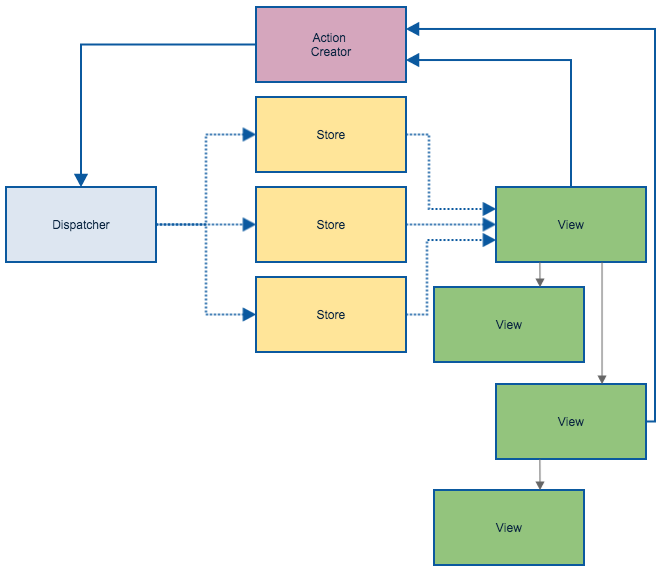
An example Flux flow
It’s taken a while to get my head around the React+Flux approach. It is lower level than other front end libraries and frameworks but components are being created to reduce the amount of glue code that needs to be written.
I like that React+Flux forces me to think about building rich client side applications differently. The separation and arrangement of code it encourages feels cleaner than frameworks that use two-way binding.
Brian Marick:
So, interesting: an enormous amount of effort is spent on apps that convert map/vector-structured data into map/vector-structured data.
However, because of the mindshare dominance of object-oriented programming that came because of Java - “Smalltalk for the masses” - it’s hard for most people to think of an approach other than a pipeline of structured data -> objects -> structured data. The tools and frameworks and languages push you toward that. So: a programming model tailored to objects with serious lifetimes has been used for data that lasts only for one HTTP request.
Michael Snoyman:
As of today Front Row uses Haskell for anything that needs to run on a server machine that is more complex than a 20 line ruby script. This includes most web services, cron-driven mailers, command-line support tools, applications for processing and validating content created by our teachers and more. We’ve been using Haskell actively in production since 2014.
An experience report on using Haskell in production.
Tony Morris:
In this talk, I will explain to you how list folds work using an explanation that is very easy to understand, but most importantly, without sacrificing accuracy.
I particularly like the constructor replacement analogy for foldr.
Ron Garret:
The Lisp model is that programming is a more general kind of interaction with a machine. The act of describing what you want the machine to do is interleaved with the machine actually doing what you have described, observing the results, and then changing the description of what you want the machine to do based on those observations. There is no bright line where a program is finished and becomes an artifact unto itself.
I use Vim as my text editor and ctags for source code navigation.
I’ve found ctag’s default javascript tagging to be lacking so I’ve added the
following to
my ctags config file
to handle some of the newer ES6 ES2015 syntax such as classes1.
Note that the listing below contains comments which ctags config files don’t support. You can find the actual file on Github.
--languages=-javascript
--langdef=js
--langmap=js:.js
--langmap=js:+.jsx

//
// Constants
//

// A constant: AAA0_123 = { or AAA0_123: {
--regex-js=/[ \t.]([A-Z][A-Z0-9._$]+)[ \t]*[=:][ \t]*([0-9"'\[\{]|null)/\1/n,constant/

//
// Properties
//

// .name = {
--regex-js=/\.([A-Za-z0-9._$]+)[ \t]*=[ \t]*\{/\1/o,object/

// "name": {
--regex-js=/['"]*([A-Za-z0-9_$]+)['"]*[ \t]*:[ \t]*\{/\1/o,object/

// parent["name"] = {
--regex-js=/([A-Za-z0-9._$]+)\[["']([A-Za-z0-9_$]+)["']\][ \t]*=[ \t]*\{/\1\.\2/o,object/

//
// Classes
//

// name = (function()
--regex-js=/([A-Za-z0-9._$]+)[ \t]*=[ \t]*\(function\(\)/\1/c,class/

// "name": (function()
--regex-js=/['"]*([A-Za-z0-9_$]+)['"]*:[ \t]*\(function\(\)/\1/c,class/

// class ClassName
--regex-js=/class[ \t]+([A-Za-z0-9._$]+)[ \t]*/\1/c,class/

// ClassName = React.createClass
--regex-js=/([A-Za-z$][A-Za-z0-9_$()]+)[ \t]*=[ \t]*[Rr]eact.createClass[ \t]*\(/\1/c,class/

// Capitalised object: Name = whatever({
--regex-js=/([A-Z][A-Za-z0-9_$]+)[ \t]*=[ \t]*[A-Za-z0-9_$]*[ \t]*[{(]/\1/c,class/

// Capitalised object: Name: whatever({
--regex-js=/([A-Z][A-Za-z0-9_$]+)[ \t]*:[ \t]*[A-Za-z0-9_$]*[ \t]*[{(]/\1/c,class/

//
// Functions
//

// name = function(
--regex-js=/([A-Za-z$][A-Za-z0-9_$]+)[ \t]*=[ \t]*function[ \t]*\(/\1/f,function/

//
// Methods
//

// Class method or function (this matches too many things which I filter out separtely)
// name() {
--regex-js=/(function)*[ \t]*([A-Za-z$_][A-Za-z0-9_$]+)[ \t]*\([^)]*\)[ \t]*\{/\2/f,function/

// "name": function(
--regex-js=/['"]*([A-Za-z$][A-Za-z0-9_$]+)['"]*:[ \t]*function[ \t]*\(/\1/m,method/

// parent["name"] = function(
--regex-js=/([A-Za-z0-9_$]+)\[["']([A-Za-z0-9_$]+)["']\][ \t]*=[ \t]*function[ \t]*\(/\2/m,method/
Some of these matchers are too eager but a lack of negative look behinds in the regex engine ctags uses makes that a pain to avoid. Instead I have a script which executes ctags and then filters obviously useless tags from the tag file afterwards.
#!/usr/bin/env bash

set -e

# ctags doesn't handle negative look behinds so instead this script
# strips false positives out of a tags file.

ctags "$@"

FILE="tags"

while [[ $# > 1 ]]
do
key="$1"

case $key in
    -f)
    FILE="$2"
    shift
    ;;
esac
shift
done

# Filter out false matches from class method regex
sed -i '' -E '/^(if|switch|function|module\.exports|it|describe)	.+language:js$/d' $FILE

# Filter out false matches from object definition regex
sed -i '' -E '/var[ 	]+[a-zA-Z0-9_$]+[ 	]+=[ 	]+require\(.+language:js$/d' $FILE
I trigger the script from within Vim automatically using a plugin I wrote called tagman.vim.
Yehuda Katz:
- In Rust, as in garbage collected languages, you never explicitly free memory
- In Rust, unlike in garbage collected languages, you never explicitly close or release resources like files, sockets and locks
- Rust achieves both of these features without runtime costs (garbage collection or reference counting), and without sacrificing safety.
This post contains a nice summary of Rust’s ownership model.
The more Google pushes the sophistication of its web development tooling, the more we all benefit.
Do you need to build a map tile server that uses OpenStreetMap’s mod_tile for CentOS 6.4? You’re in luck!
Halvard and I put together a set of Ansible playbooks that builds one for you.
Enjoy.
Nevan King:
In iOS 8, this code doesn’t just fail, it fails silently. You will get no error or warning, you won’t ever get a location update and you won’t understand why. Your app will never even ask for permission to use location.
I just got bitten by this while updating an app. This post goes through what is needed to fix it.
Michael Johnston:
You cannot build a 60fps scrolling list view with DOM.
The Flipboard team have gone to great lengths to get the performance they want from the browser.
Everything is rendered to canvas elements. They’ve created their own representation of elements which they pool aggressively to avoid GC hits.
This is another place where React’s virtual DOM comes into its own. Flipboard use React to render to canvas elements. They’ve wrapped this up into react-canvas.
This is an extreme approach but the app feels slick because of it.
Bob Nystrom:
When they create 4089 libraries for doing asynchronous programming, they’re trying to cope at the library level with a problem that the language foisted onto them.
Each of those function expressions closes over all of its surrounding context. That moves parameters like iceCream and caramel off the callstack and onto the heap. When the outer function returns and the callstack is trashed, it’s cool. That data is still floating around the heap.
The problem is you have to manually reify every damn one of these steps. There’s actually a name for this transformation: continuation-passing style. It was invented by language hackers in the 70s as an intermediate representation to use in the guts of their compilers. It’s a really bizarro way to represent code that happens to make some compiler optimizations easier to do.
No one ever for a second thought that a programmer would write actual code like that. And then Node came along and all of the sudden here we are pretending to be compiler back-ends. Where did we go wrong?
It’s actually worse, every Javascript programmer who has a concurrent problem to solve must invent their own concurrency model. The problem is that they don’t know that this is what they are doing. Every time a Javascript programmer writes a line of code that says “on this do that” they are actually inventing a new concurrency model, and they haven’t a clue how the code will interleave when it executes.
What’s even more difficult to understand is errors. Errors in multi-threaded callback code with shared memory is something that would give me an extremely large headache.
The in-language mixing of synchronous and asynchronous calls makes code hard to reason about. The language-side simplicity of Ruby or Java’s concurrency model is something I have taken for granted.
Recent posts from Glen Maddern and Thoughtbot inspired me to try my hand at some ES6.
I put together a toy app using jspm and liked what I saw.
I then noticed that the latest beta release of React.js supports ES6 classes.
This led me to dust off an old side project that uses React.js and add jspm to it. The app is built using rails so I spent a little time working out a way to add jspm to that.
I’ve stayed away from the asset pipeline and placed the libraries and application Javascript managed by jspm in the public folder of the app directly.
I’ve extracted the results and placed them up on Github.
Tom Stuart:
Monads are in danger of becoming a bit of a joke: for every person who raves about them, there’s another person asking what in the world they are, and a third person writing a confusing tutorial about them. With their technical-sounding name and forbidding reputation, monads can seem like a complex, abstract idea that’s only relevant to mathematicians and Haskell programmers.
Forget all that! In this pragmatic article we’ll roll up our sleeves and get stuck into refactoring some awkward Ruby code, using the good parts of monads to tackle the problems we encounter along the way. We’ll see how the straightforward design pattern underlying monads can help us to make our code simpler, clearer and more reusable by uncovering its hidden structure, and we’ll end up with a shared understanding of what monads actually are and why people won’t shut up about them.
The accompanying video is short, snappy, and to the point.
Programming well is hard. Here are a few books that have helped me improve that I recommend.
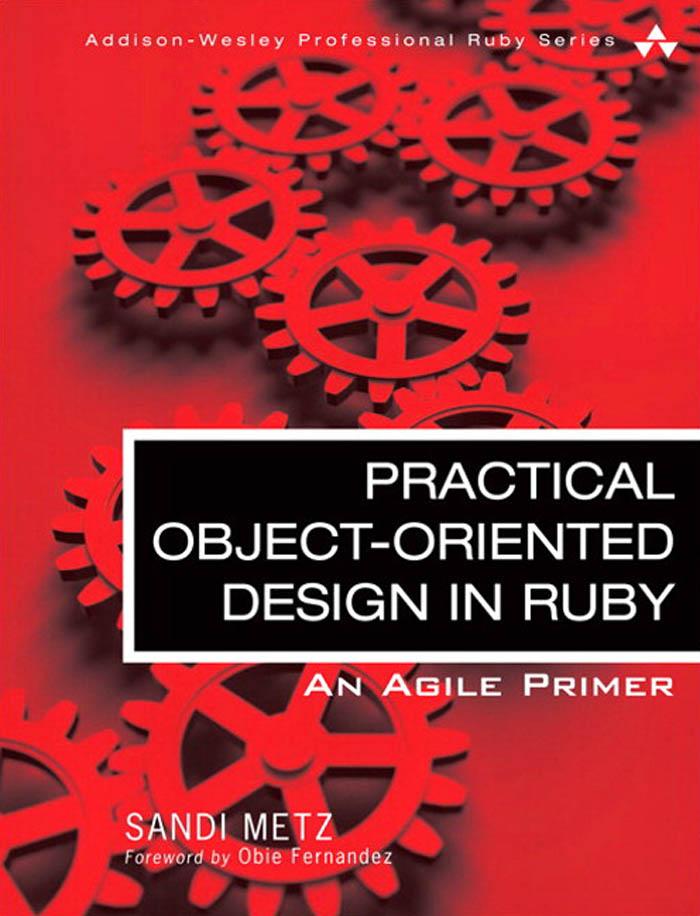
This contains plenty of great advice even if you don’t code in Ruby. It focusses in on the message passing aspect of OO and how to structure your code around that ideal whilst keeping it amenable to change.

This is really about all code and is full of strategies to isolate and deal with problematic code in large untested code bases.
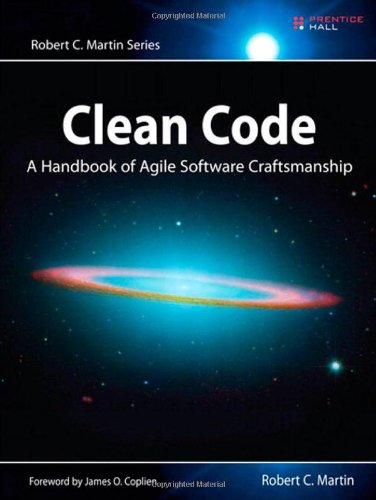
A meditation on what makes code “good”. General advice that covers many aspects of code including readability, clarity of intention, and separation of responsibilities.
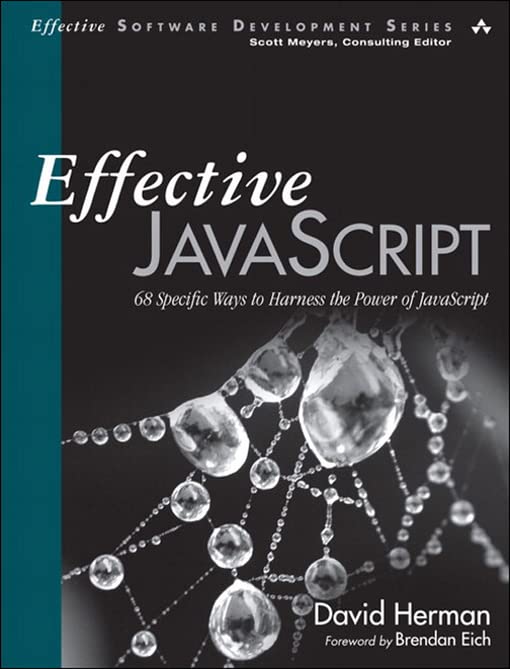
Short, sharp, and to the point advice for writing Javascript. Points out the rough edges in the language and gives you concise advice on how to deal with them.

A touch dated in areas but the core principles it espouses are still good and will hold true for a while to come.

A book focussed on “the last mile” in software. Getting your code out the door and setup in a way that you can monitor and change it. It also provides interesting techniques for dealing with production issues in distributed systems such as cascading failures.

A look at techniques to improve the readability and style of your code. Tips on elimating conditionals, using null objects, and more.
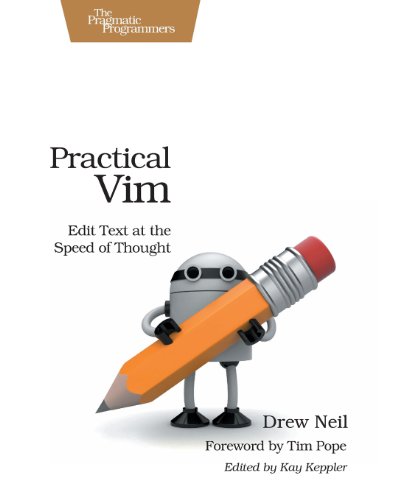
I’ve used Vim for a long time and this book taught me plenty. A must read if you use Vim as your editor.

A great way to learn recursion and some Lisp.